Make videos that move people

The all-in-one video suite—create, edit, and generate videos online from ideas, images, clips, slides, and prompts

High-impact videos for marketing, training, onboarding, and social channels
Edit scenes, timing, text, transitions, and visual details
Bring any idea to life—start from a blank canvas or transform existing assets

24/7 multilingual phone, chat
and email support | +1-844-898-1076

video
Upload Your Video
Drop Video Here
or

Everything you can do with VideoSimpli

How VideoSimpli works in 3 easy steps

Enter a text prompt describing the video you want AI to create, or select the video you wish to edit or restore
Choose an AI tool to automatically fix imperfections and color, or select settings individually to edit manually
Watch your vision come to life, review the result, and download your high-quality video

Do more with AI-powered video generation and editing

Generate and edit videos using AI

  • A video editor built for the edit, not the learning curve

  • Create videos in one simple creative workspace—no software to download
  • Shape the story you want into a compelling video using prompts
  • Build videos for stories, lessons, campaigns, and social posts

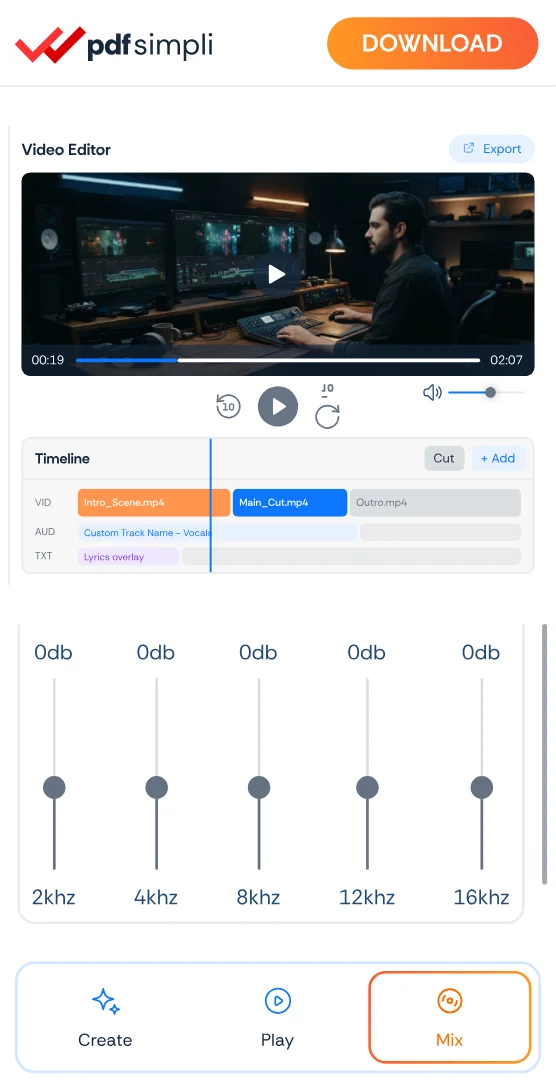
Video Editor

Export
A video editor preview showing an editing suite clip part-way through playback
Timeline Cut+ Add
VID
Intro_Scene.mp4 Main_Cut.mp4 Outro.mp4
AUD
Custom Track Name - Vocals
TXT
Lyrics overlay

Frequently asked questions

Simple answers to your questions

What can I use to create a video?
You can start with a blank project, images, video clips, a presentation, written content, or a description of the video you want to make. Choose the starting point that best matches your idea and available assets.
Can I edit an existing video?
Yes, an existing video can be a starting point for arranging scenes, adjusting timing, adding text, refining transitions, and shaping a clearer final sequence.
Can I create a slideshow from images?
Yes, you can use images and supporting text to build a slideshow with an intentional sequence, pacing, and visual story. Slideshow projects can support personal, educational, marketing, and presentation needs.
What is an AI video generator used for?
An AI video generator can help turn a written direction into an initial video concept or scene structure. Review and refine the result so the visuals, wording, pacing, and message fit your audience.
Making videos simple
The VideoSimpli app showing a clip being trimmed with captions below it
Video simpli tools